
What is the digital front door in healthcare? Definition and build order
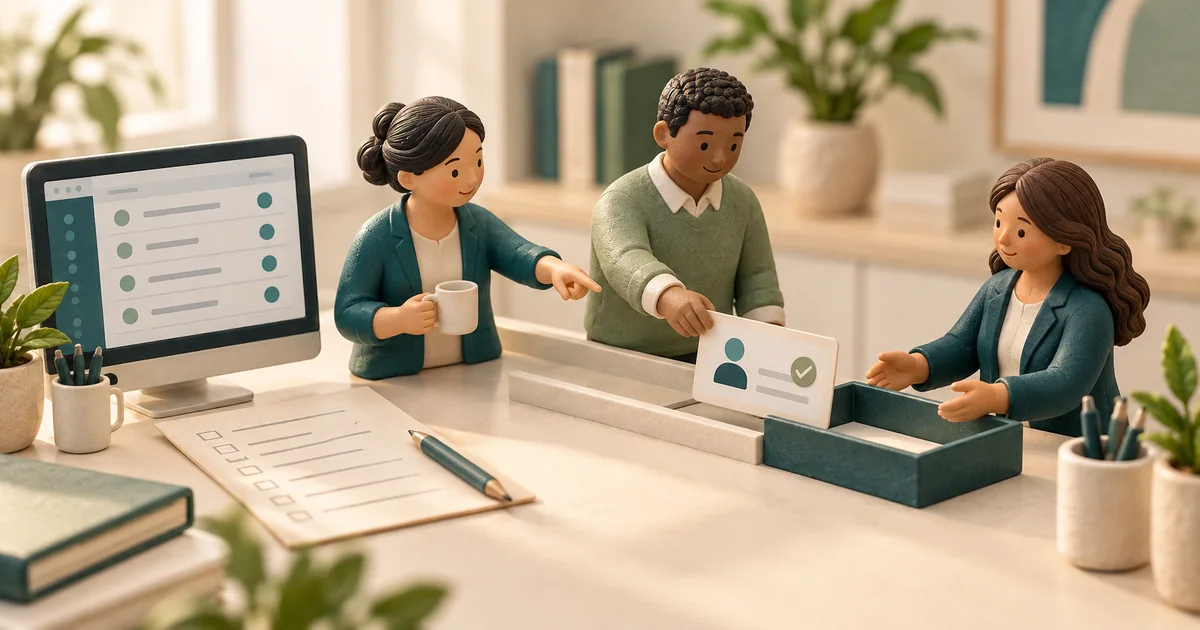
The digital front door is the set of digital channels through which patients find, access, and communicate with a healthcare provider: online scheduling, digital intake, two-way messaging, phone automation, and the portal. Build the program around the channels patients actually use, and measure access outcomes instead of treating the portal as the whole strategy.


Patients book flights, order food, and manage their money from a phone, and they expect the same kind of access from their healthcare providers. That expectation is real. What many organizations get wrong is the response: buying a portal, adding a website chatbot, and declaring the front door open while the main phone line still goes unanswered.
The digital front door is not a product you buy. It is the sum of every digital path a patient takes to find you, get an appointment, prepare for a visit, and reach a human when something changes. Some of those paths are apps and web forms. The telephone remains a major access channel for many practices and needs to be part of the same strategy.
This article defines the term, breaks down the five components, explains why programs can stall, and lays out a pragmatic build order and measurement plan for a mid-size group.
What is the digital front door in healthcare?
The digital front door in healthcare is the set of digital channels through which patients find, access, and communicate with a provider organization, spanning the moments before, between, and after visits. It covers how a patient discovers the practice online, books or requests an appointment, completes registration and intake, gets reminders, asks questions, reschedules, and pays.
Two boundaries make the definition useful. First, the front door is about access and communication, not clinical care itself. Telehealth visits pass through the front door, but the visit is the care. Second, digital includes the automated phone experience. A voice AI agent or intelligent call routing is as much a digital front door component as a booking widget because it digitizes an important path patients use to reach the practice.
Defined this way, the front door has a clear job: reduce the effort it takes a patient to get from "I need to be seen" to a completed, prepared-for appointment, while reducing the staff labor consumed along the way.
The five components
Most digital front door capabilities sort into five components. Each has a distinct job and a characteristic failure mode.
| Component | What it does | Common failure mode |
|---|---|---|
| Online self-scheduling | Lets patients book, reschedule, or cancel without calling | Opened for so few visit types that patients try it once, fail, and call anyway |
| Digital intake | Collects demographics, insurance, consents, and history before arrival | Duplicate data entry, so patients repeat everything at the front desk |
| Two-way messaging | Handles reminders, confirmations, waitlist offers, and patient questions over SMS | One-way messages without reply handling, so responses go unread |
| Phone automation | Answers, routes, verifies, and books on the phone channel | Legacy IVR menus that deflect rather than resolve, driving abandonment |
| Patient portal | Provides an authenticated hub for results, records, billing, and follow-up | Treated as the entire strategy even when other access channels remain disconnected |
The components compound. Self-scheduling reduces inbound call volume, which shortens hold times for the callers who remain. Digital intake makes each booked appointment more likely to start on time and bill cleanly. Two-way SMS catches cancellations early enough to refill the slot. A front door built as disconnected vendor tools, by contrast, forces patients to re-identify themselves and staff to reconcile multiple task queues.
Why digital front door programs fail
Portal-only thinking. The portal is often the easiest component to buy because it ships with the EHR, so it can become the strategy by default. Portal messaging may move work into an inbox that still needs staffing, while patients who cannot log in may still call and encounter an unchanged phone experience.
Ignoring actual channel demand. Organizations need to compare the volume and outcomes of their phone, web, messaging, and portal channels. Improving the website while callers sit on hold can leave a major access problem untouched.
Fragmentation. Scheduling from one vendor, intake from another, and reminders from a third may not share state. The patient confirms by text, then the front desk, looking at a different system, calls them anyway. Fragmentation can add cost without reducing work.
Measuring the wrong things. Downloads, logins, and page views are activity metrics. The front door exists to change access outcomes: how fast patients get scheduled, how many calls are abandoned, how many arrive prepared, and how many show up.
Why the phone still belongs in the front door
A pragmatic digital front door strategy starts by measuring how many inbound calls go unanswered. An unanswered call can become a lost appointment opportunity when a patient reaches another practice first.
This is also where modern automation can produce a clear before-and-after measurement. Texas Sleep Medicine reduced missed calls from 37% to ~0% with voice AI handling patient calls and was live in 4 weeks.
Phone automation also matters for groups with multiple sites, where each location has its own call load and cross-coverage can be difficult. As our guide to multi-location voice AI for patient access explains, centralizing and automating the answering layer can make the channel more reliable across sites and operating hours.
A pragmatic build order for a mid-size group
For a mid-size group, roughly 10 to 100 providers, the sequence below prioritizes observable access problems and gives each phase a baseline for the next.
- Instrument the phone. Before buying anything, measure inbound call volume, abandonment rate, average speed to answer, and after-hours volume. This baseline defines the size of the problem and lets the team evaluate later changes.
- Automate the highest-volume phone work. Deploy voice automation for the calls that dominate volume, such as appointment scheduling, confirmations, cancellations, and common questions, with clean escalation to staff for everything else.
- Stand up two-way messaging. Move reminders, confirmations, waitlist offers, and pre-visit instructions to SMS with real reply handling. Cancellation replies captured in advance become refillable slots instead of day-of gaps. This layer is how Linear Health customers achieve a 40% reduction in no-shows.
- Digitize intake. Send registration, insurance capture, consents, and screening forms ahead of the visit, and make the data land in the chart rather than a PDF inbox. Target completion before arrival, not in the lobby.
- Open self-scheduling deliberately. Start with low-complexity, high-volume visit types, such as follow-ups and established-patient visits, where scheduling rules are simple. Expand as the decision-tree logic proves itself.
- Integrate the portal as the account layer. Let the portal handle results, records, and billing, then connect it to the scheduling and messaging rails already in place instead of asking it to be the whole front door.
This order prioritizes channel measurement and routine access work before portal integration. Each phase can work on its own, so a delay in a later phase does not strand the earlier improvements.
How to measure the digital front door
Measure outcomes per channel and one experience metric across the whole front door:
- Call abandonment rate and missed-call rate. Track both by hour to expose lunch and after-hours gaps.
- Self-scheduling share. Measure the percentage of all booked appointments that patients scheduled online or through phone automation without staff involvement.
- Intake completion before arrival. Track the percentage of visits where registration and forms were finished before the patient arrived.
- No-show rate. Use it as a downstream test of whether reminders, confirmations, and easy rescheduling are working.
- Time from request to booked appointment. Measure how long a patient waits between asking for care and receiving a confirmed slot across every channel.
- Staff minutes per appointment scheduled. Track whether routine automation reduces the staff effort required for each completed booking.
Review these measures monthly against the pre-project baseline from step one. If self-scheduling share is flat, the visit types offered may be too narrow. If abandonment falls but no-shows do not, examine whether the messaging layer is closing the loop. A connected patient engagement platform makes the analysis easier because scheduling, messaging, and phone events land in one place.
The bottom line
The digital front door is every digital channel a patient uses to find, access, and communicate with your organization, and it should be judged by access outcomes rather than by whether you own each component. Start with the channels patients already use: instrument the phone, automate its routine work, add two-way messaging, digitize intake, open self-scheduling deliberately, and integrate the portal as the account layer. Then hold the whole system to a focused set of measures: abandonment, self-scheduling share, intake completion, time to booking, and no-shows.
Frequently asked questions
What is a digital front door in healthcare?
Is a patient portal the same as a digital front door?
What are the components of a digital front door?
Why do digital front door strategies fail?
How do you measure a digital front door?
Sources
- Medical Group Management Association, practice operations and patient access research, mgma.com
- Assistant Secretary for Technology Policy and Office of the National Coordinator for Health Information Technology, patient access to health information resources, healthit.gov