Gemini for Healthcare: What It Takes to Make AI Work in an FQHC
Google's healthcare AI launch raises a practical question for FQHCs: how do clinics and Linear turn capabilities into working referrals across their existing tools?

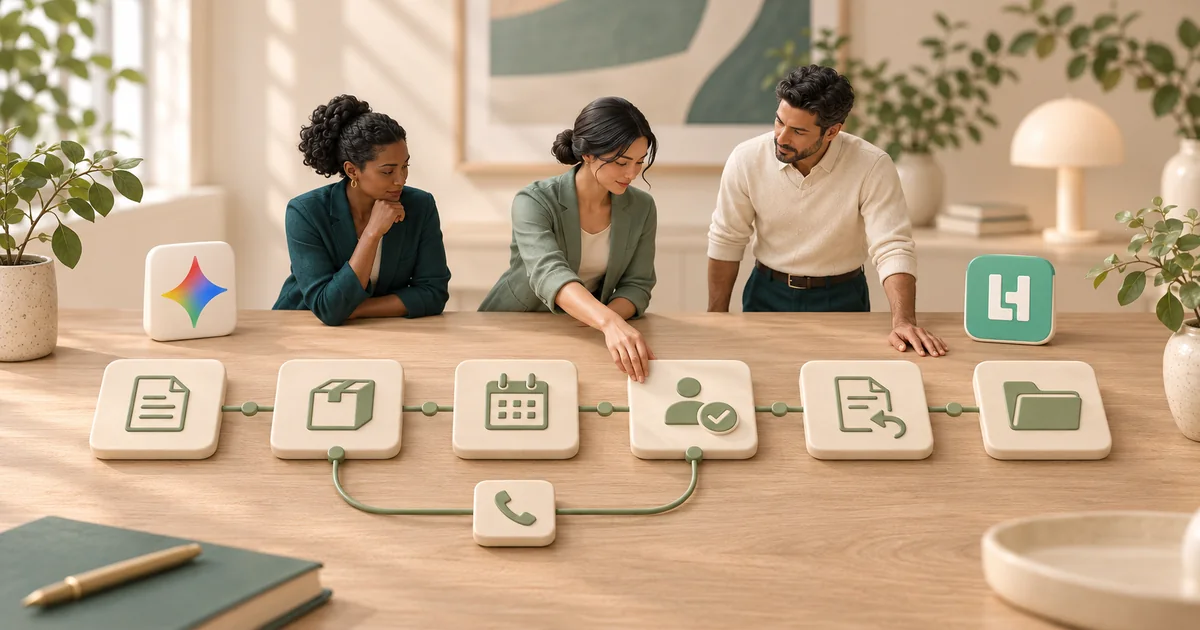
Google introduced Gemini for Healthcare on November 10, 2026, bringing healthcare-specific skills, connectors, and a partner ecosystem into its enterprise agent platform. For a federally qualified health center (FQHC), that raises a practical question: who will make the workflow work across our tools, our teams, and our definition of done? Google's announcement
That question is central to Linear Health's work with clinics. A functioning referral workflow requires both the technology provider and the clinic to contribute. The clinic knows how work moves between its locations, staff, and outside offices. Linear works with the team to translate that knowledge into a supported coordination workflow.
What Gemini for Healthcare changes
Gemini for Healthcare launched in preview with skills that organizations can tailor to their standard operating procedures, connections to existing systems, and implementation partners. Its ecosystem includes operational products: Synthpop advertises referral intake, payer verification, and patient outreach through its Careflow integration with Gemini. Google, Synthpop
Those capabilities make the evaluation more specific. An FQHC can ask a platform provider, a specialist vendor, or an implementation partner to demonstrate the same thing: one agreed workflow running through the systems and exceptions the clinic actually needs.
Linear's work starts with the clinic's actual process: which steps need support, which decisions belong to the clinic, and who takes over when an automated step cannot proceed. Those responsibilities should be explicit in the scope and demonstrated before launch.
Why an FQHC workflow extends beyond its EHR
Health centers can deliver services directly, through contracts, and through referral arrangements. Those arrangements help explain why a center's work can cross organizational boundaries as well as software boundaries. HRSA's description of service delivery arrangements
Consider an illustrative outbound referral. The order starts in the EHR. A packet goes to a specialist through a fax or referral service. Staff may need information from a payer portal. Patient contact happens by phone or message. The specialist has its own scheduling process, while the originating clinic needs a reliable record of what happened.
Each tool may hold one part of the story. A successful fax transmission establishes delivery to an endpoint. A booked appointment establishes a scheduled date. Neither, by itself, establishes that the patient attended or that the clinic received the consult note.
The Institute for Healthcare Improvement's referral-management guide describes the importance of clear roles, communication, and information exchange across the referral process. That is a useful foundation for evaluating automation: follow the handoffs and establish who is responsible at each one. IHI/NPSF, Closing the Loop
Illustrative workflow
One referral. Several systems.Shared responsibility.
- Referral identifiedEHR + clinic
- Before deliveryMissing informationClinic owner resolves itPacket deliveredFax + specialist
- Before bookingPatient not reachedAgreed outreach, then staff handoffVisit bookedOutreach + specialist
- Attendance confirmedSpecialist + clinic
- Before note returnConsult note missingAssigned owner follows upNote returnedSpecialist + EHR
- Closure confirmedClinic + EHR
- Before deliveryMissing informationClinic owner resolves it
- Before bookingPatient not reachedAgreed outreach, then staff handoff
- Before note returnConsult note missingAssigned owner follows up
The clinic and implementation team agree on the systems, permissions, follow-up rules, and closure criteria.
Three exceptions make the implementation questions concrete:
- The specialist needs another document. Decide where that request becomes visible, who obtains the document, and what evidence allows the referral to move forward.
- The patient does not answer. Agree on the permitted outreach sequence, the point at which staff take over, and how the receiving staff member acknowledges the handoff.
- The visit happened, but the note is missing. Record attendance separately from note receipt. Keep the remaining work assigned until the clinic's agreed completion requirements are met or another disposition is recorded.
These are operational design decisions. They need to survive the transition between systems, a change of coordinator, and the next shift. Our guide to FQHC referral coordination explores the shared handoff record in more detail.
What Linear and the clinic need to decide together
The clinic contributes its operating knowledge and decisions about responsibilities. Linear contributes the supported automation and integration work needed to carry out the agreed scope. Both sides need a way to check that the result matches what they intended.
Use the following framework to agree on the proposed deployment.
Agree on the meaning of each status
Start with observable milestones: sent, received, booked, attended, and note received. Define the evidence required for each status and the clinic's criteria for closing the work. A dashboard label should have a meaning that coordinators at different locations can explain consistently.
Map the exact records and actions
Identify where each piece of information originates, where it needs to appear, and which system takes precedence when records disagree. Confirm the supported read and write actions for the proposed configuration. Name any step that remains manual, including the person responsible for it.
Make exceptions assignable
Agree on outreach permissions, follow-up timing, escalation routes, and staff coverage. Then test a case that needs help. An exception should expose the unresolved task, the reason it stopped, and the next responsible person.
Verify the workflow together
Use agreed test cases to check both the normal path and the exceptions. Confirm that an update reached the intended record and that a staff handoff was accepted. Decide who reviews changes when the clinic adjusts its process or a connected system changes.
This is where collaboration becomes tangible: a clinic decision becomes a configured action, and both teams can inspect evidence that the action worked. For the wider rollout sequence, see our referral workflow implementation guide.
What the Aunt Martha's deployment demonstrates
Aunt Martha's Health & Wellness is a community health organization in the Chicago area with more than 100 providers across more than 20 locations. It uses athenahealth, with Linear Health referral coordination, care gap closure, and voice AI running across the network. Aunt Martha's case study
Linear's published case study describes work across athenahealth and payer portals, automated outreach, and coordinators handling exceptions. It provides an example of coordination operating within an existing clinical organization and its systems.
For an FQHC evaluating Linear, this provides a concrete starting point: a deployed coordination workflow in an athenahealth environment. The next step is to map the prospective clinic's own systems, responsibilities, and exceptions against the proposed scope.
Our emphasis is on doing that work with the clinic: understanding the handoffs, agreeing on the required outcomes, and confirming the supported configuration. The quality of those decisions matters when a referral leaves the EHR and begins moving through other organizations and tools.
Ask for a demonstration that includes unfinished work
A useful evaluation starts with one workflow that your team can describe. Bring a de-identified example or an agreed synthetic case, the relevant systems, and the exceptions you want to see handled.
Ask any provider, including Linear, to demonstrate:
- Where the work starts. Identify the triggering record and the information the workflow needs.
- What crosses each boundary. Show the document, message, or status that moves between systems, and explain how receipt is checked.
- What happens when a step cannot finish. Introduce missing information, an unsuccessful outreach attempt, or an unavailable update.
- Who takes the next action. Show the assigned owner and how the handoff is acknowledged.
- What completion means. Distinguish a booked appointment, a confirmed visit, a returned note, and the clinic's closure decision.
Then agree on measures for the proposed workflow. These might include time to booking, staff follow-up time, unresolved exceptions, and the share of eligible referrals reaching each defined milestone. Record unknown statuses separately, and agree on the denominator and measurement period before comparing results.
The implementation discussion should also cover what happens after launch. Our EHR integration maintenance guide addresses ownership, changes, and recovery checks.
Where Linear fits
Linear Health helps FQHCs coordinate referrals and related work in the systems their teams already use. Its work with clinics brings local operating knowledge into the configuration, with the supported scope and responsibilities established together.
Gemini for Healthcare gives buyers another platform and partner ecosystem to evaluate. The decision becomes clearer when each option is assessed against the same real workflow, including the parts that stop, require a person, or wait on an outside organization.
Bring the workflow your team has to finish. Ask to see how it will run.
Frequently asked questions
Can Gemini for Healthcare automate referral workflows?
Does an EHR connector remove the need for workflow implementation?
Does an FQHC need to replace its EHR to work with Linear Health?
When should an automated referral be marked complete?
How should an FQHC compare Linear with a Gemini-based solution?
Sources
- Google Cloud: Introducing Gemini for healthcare
- Synthpop: Gemini for Healthcare integration announcement
- HRSA: Health Center Program Compliance Manual, Chapter 4
- IHI/NPSF: Closing the Loop, a guide to ambulatory referrals
- Linear Health: Aunt Martha's Health & Wellness case study
- Linear Health: EHR integrations
Linear Health publishes educational articles about operational AI for healthcare.