Healthcare Document AI vs. Basic OCR: What Changes for Referral Packets?
Reading a referral is one job. Sorting its documents, checking what is missing and getting the next step done are separate jobs. Here is how to tell the difference.


That distinction matters when a coordinator opens a fax with several attachments. A readable PDF helps. It still leaves questions: Which page is the order? Do these documents belong to the same patient? Is the attachment mentioned in the cover sheet actually there? Who follows up if it is missing?
This guide compares capabilities for administrative referral intake. The examples are illustrative, not customer records or measured product results.
What does basic OCR do well?
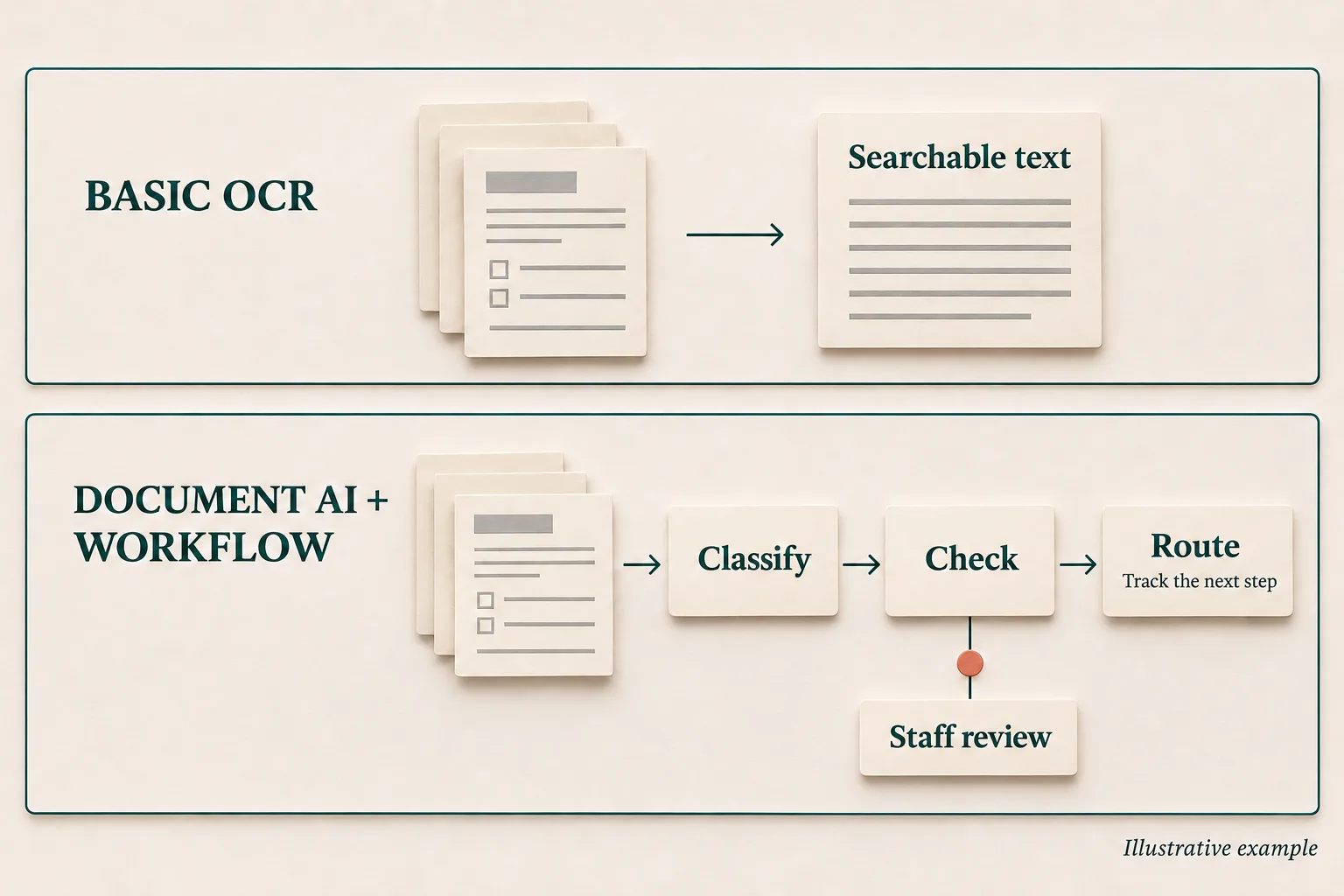
Optical character recognition, or OCR, identifies printed or handwritten text in an image and converts it into text a computer can search, copy or process. For example, Amazon Textract's text-detection operations return words, lines and their locations on a page.
That is useful work. A coordinator can search for a name in a long fax, copy a phone number or locate a passage without reading every page. A scanned archive becomes searchable.
Basic OCR is the text-recognition step in this comparison. It does not mean every product sold under an OCR label stops there. Textract also extracts forms, tables and query answers. Google's Enterprise Document OCR includes layout information, handwriting recognition and image-quality analysis.
So the purchasing question is specific: what comes with the system you are buying, what needs configuration, and what still requires your staff or another application?
Why is a referral packet harder than one form?
Consider an illustrative packet with a referral order, a visit note, an insurance-card image and a lab report. The visit note has been sent twice. The cover sheet mentions an attachment that did not arrive.
These pages have different purposes. The ordering clinician's name, the patient's name and the subscriber's name might all be correctly recognized. They still need to land in different fields. The date on the fax header is different from the date of the visit.
Document AI adds tools for that organizational work. Google's custom splitter identifies separate documents inside a combined file. Microsoft's custom classifier can identify document types and their page ranges. Neither capability, by itself, proves that a referral is complete.
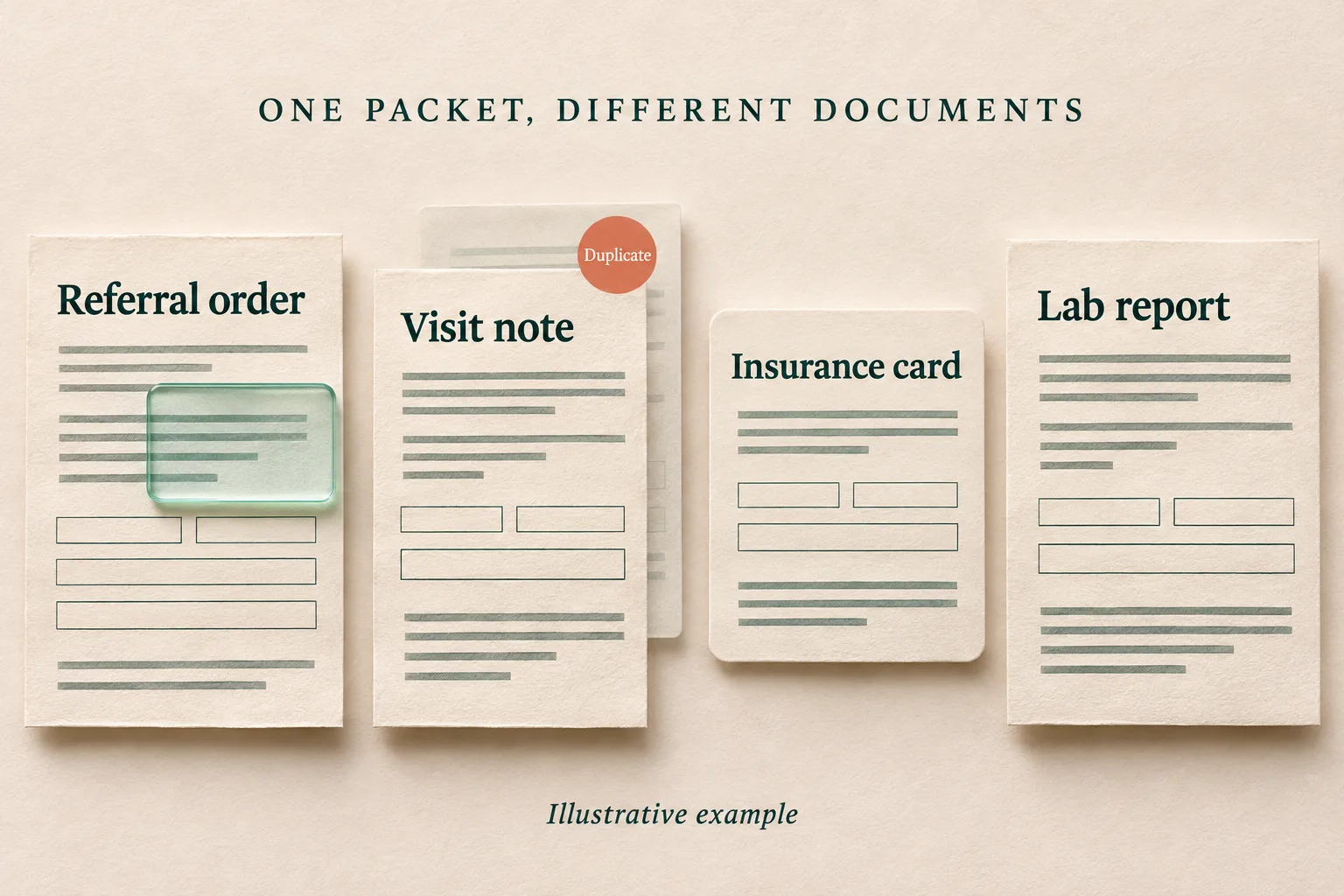
For the packet above, a useful demonstration would show where each document begins and ends, retain the original pages, identify the duplicate for review, and flag the absent attachment. Ask the vendor to show those results together. A neat list of extracted fields can hide a missing page.
How do OCR and healthcare document AI compare?
The table separates a basic text-recognition function from a configured document and referral workflow. The right-hand column is a set of capabilities to verify, not a promise that every platform includes them.
| Intake task | Basic OCR output | What to verify in a document AI platform |
|---|---|---|
| Read a scanned page | Recognized words, lines and sometimes coordinates | Readable source pages alongside extracted values |
| Separate a mixed packet | Text from the pages it receives | Document boundaries, page classifications and handling of uncertain splits |
| Capture referral fields | Text that staff or other software must interpret | Named fields with source references and a way to correct them |
| Check completeness | The text present in the submitted file | Checks against the practice's configured requirements, including missing or unreadable items |
| Associate the patient | Recognized names and identifiers | A separate matching process, with ambiguous matches held for staff |
| Handle an exception | Recognition output or an error | A review task with the source, issue, owner and next action |
| Update the EHR | No EHR transaction from OCR alone | Supported write operations, confirmation, duplicate prevention and failure handling |
A document extraction API can be part of a strong referral platform. Your team can also build a workflow around one. The implementation work remains: document rules, patient association, exception queues, integrations and ongoing testing.
The HL7 FHIR standard makes a related distinction. A ServiceRequest can represent the referral request; a Task can track work performed to fulfill it. A file, a request and a completed task are different records.
What should happen when the packet is incomplete?
An incomplete packet should produce a specific next action. In the example, the missing attachment needs an identifiable follow-up task. The duplicate note needs to be associated with the existing intake record rather than quietly creating a second referral.
Ask to see what a coordinator receives. Can they open the original page? Does the task identify the missing item? Is there an owner? If the referring office sends the attachment later, can the system associate it with the existing referral and show what changed?
Missing information and unreadable information also need different treatment. A blank field may require a request to the sender. A poorly scanned field may need staff inspection or a clearer copy. A system should preserve that distinction instead of filling either gap with a plausible answer.
The same principle applies to conflicting values. If the cover sheet and referral form show different phone numbers, a demonstration should reveal both sources and the configured resolution process. Choosing the first number found is a rule, but it is not evidence that the number is current.
This is where referral coordination software becomes relevant. Extraction creates information. Coordination assigns and tracks the work needed to act on it.
Where should staff review remain?
Staff review belongs at the points where uncertainty changes the next action. Useful test cases include an uncertain document boundary, conflicting patient identifiers, an unreadable field and two possible matches in the EHR.
A high OCR score does not settle all of those questions. Microsoft's confidence documentation distinguishes confidence in recognized text from confidence in extracted fields. Google's splitter documentation also warns that an incorrect split can cause downstream extraction errors.
Ask how review thresholds were tested on packets resembling yours. There is no single score in this guide that makes a referral safe to process automatically. The acceptance policy needs to account for the field, the action and the consequences of an error.
Patient matching deserves its own demonstration. HL7's patient-match operation describes possible matches and match quality, while leaving the matching algorithm to the implementation. Correctly reading a name is only one input to that process.
For a fair comparison, include staff correction time in the evaluation. A system that extracts quickly but makes a coordinator reopen every page may not remove much work.
What does EHR integration need to prove?
Ask the vendor to follow one referral all the way into your EHR. Show the patient association, the destination for each document, the structured fields written and the status visible to staff.
Then test an interrupted write. The platform should make the outcome clear: confirmed, failed or awaiting reconciliation. Repeating a request should not silently create another intake record. The expected behavior needs to be part of the agreed implementation.
FHIR support is useful, but the label alone is not enough. HL7's RESTful API documentation explains that servers choose which resources and interactions they support. A document upload and a structured referral update may require different interfaces or permissions.
Keep the source accessible after extraction. DocumentReference and Provenance illustrate how documents and the history of derived records can be represented separately. For the buyer, the practical question is simpler: can staff find the page behind a value and see who corrected it?
Linear Health's established EHR integrations include athenahealth, eClinicalWorks, NextGen and Greenway Health. Confirm the exact intake and write-back operations in your proposed workflow.
How should you test a platform before choosing it?
Use an approved test set that reflects the packets your team handles. Include ordinary examples alongside poor scans, repeated pages, missing attachments, conflicting fields and later-arriving documents. Use synthetic examples for an initial demonstration.
Agree on the expected result before running the test. For each packet, record the intended patient association, document grouping, required fields, issues that should stop automation and destination for the next task. Keep the test set separate from examples used to configure the system.
Google's Document AI evaluation guidance compares predictions with labelled test documents and reports measures such as precision and recall. Extend that idea to the administrative work you are buying:
- Field correctness: Did the system capture the right value, and can staff trace it to a source?
- Packet handling: Did it keep the right pages together and expose missing or uncertain information?
- Exception handling: Did cases that needed review reach the right person with enough context?
- EHR result: Did the intended update appear once, in the correct destination?
- Staff effort: How much active work remained, including corrections and follow-up?
- Elapsed time: How long until the packet reached an agreed usable state, including time waiting for missing information?
Report the denominator and exceptions. A result based only on clean forms says little about a queue containing mixed faxes. Count failed and unresolved packets as part of the evaluation, not as cases outside the report.
Compare total operating cost as well as extraction cost. Include setup, integration maintenance, staff review, rescanning and error recovery. The useful unit is a correctly handled referral packet, with a clear next step.
When is OCR enough, and when do you need more?
OCR may be enough when the goal is to make documents searchable and staff already have a reliable process for reviewing and acting on them. It can also be enough as one component in a workflow your organization has already built.
Consider a broader platform when the unresolved work sits between the page and the next task: separating attachments, checking intake requirements, finding the right record, chasing missing information and updating the EHR.
Document AI is not a guarantee that those jobs are included. Some products provide extraction tools. Others add review interfaces or referral workflows. Ask each vendor to demonstrate the same packet and the same exceptions, then compare the work left for your team.
Linear Health's inbound referral coordination connects document extraction and patient-record matching with outreach and scheduling. A useful demo starts with an example packet and ends with the resulting task or EHR update. That gives your team something concrete to assess.
Frequently asked questions
Does document AI replace OCR?
Can basic OCR read handwriting and tables?
Can a document AI platform detect missing referral documents?
Is a high OCR confidence score enough to automate referral intake?
What is the most useful way to compare two platforms?
Sources
- Amazon Textract: Detecting text
- Amazon Textract: Capabilities and document analysis
- Google Cloud: Enterprise Document OCR
- Google Cloud: Custom splitter
- Microsoft: Custom classification models
- Microsoft: Accuracy and confidence
- Google Cloud: Evaluate performance
- HL7 FHIR R4: Task
- HL7 FHIR R4: Patient matching
- HL7 FHIR R4: RESTful API
- HL7 FHIR R4: DocumentReference
- HL7 FHIR R4: Provenance
Linear Health publishes educational articles about operational AI for healthcare.